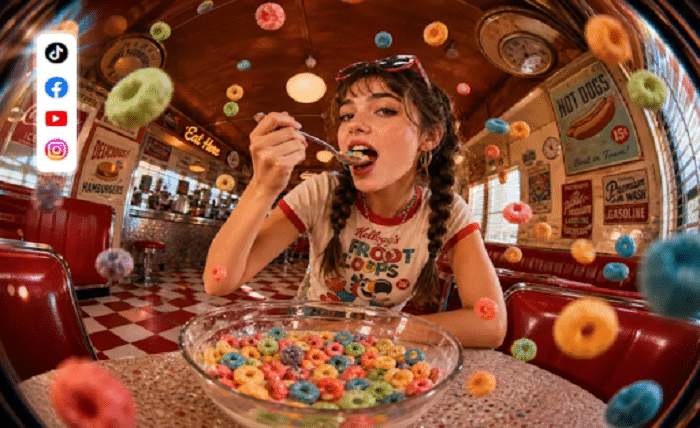
Featured images create a blog post’s visual identity on article pages, archives, newsletters, and when shared on social media. The relevant picture makes it easier for readers to identify the topic prior to reading the entire article. But it is difficult for bloggers who have to publish their blogs regularly to find original graphics for specific subjects. To make this easier, Dreamina AI transforms textual prompts and reference images into personalized editorial visuals. It offers image generation and editing tools that cater to various styles and compositions, along with publication needs. It’s not just pretty artwork; it’s artwork that is appropriate to the subject and tone of each article.
Match the Featured Image to the Article’s Main Idea
First determine the main idea of the article, then decide how the article will be visually presented. Explanatory objects, recognisable symbols and simple illustrative scenes are useful for informational posts. Technology articles may contain devices, abstract interfaces, compositions based on data, or even future environments. Natural scenes, common objects, and vibrant hues tend to work well for lifestyle-related subjects. Business articles can take advantage of subdued backgrounds, business settings, and purposeful visual hierarchy. Relevant tools, materials, or finished products may be demonstrated in creative tutorials. Conceptual imagery that hints at an argument but doesn’t alter its content is good for opinion pieces. Bloggers can use Dreamina AI’s AI image creator to delve into these directions, generating images that align with their editorial objectives. Do not repeat the same words in the headline and image, or put unrelated ideas in the image.
Choose Between Photography, Illustration, and Conceptual Imagery
Visual style affects the reader’s perception of a topic and the perception of a publication. Realistic editorial imagery is appropriate for product, workspace, location, and everyday situations. Credible lighting, natural size, and limited backgrounds help keep it credible. Digital illustrations are great for educational explanations, abstract topics, and unique editorial branding. Difficult-to-photograph concepts like innovation, productivity, creativity, and digital transformation can be communicated through conceptual imagery. Minimalist compositions are perfect for publications that feature a clean layout, limited palettes, and outstanding headlines. For visual exploration, there are several models available in Dreamina AI, such as Seedream, GPT Image, and Nano Banana. Not all models are created equal, and not all models will work for every topic – compare models and their outputs.
Build a Featured-Image Prompt That Is Specific Without Becoming Cluttered
A focused prompt provides more direction to the image generation without being overbearing for the composition. Select a main topic and describe the editorial intent and desired visual treatment. Indicate if the image looks like a photograph, illustration, 3-D art, or collage. Explain the frame, colors, lighting, atmosphere, and negative space. Point out distracting objects or unnecessary background details that should be left out. Focus on the most critical instructions rather than too many conflicting concepts.
An article about remote work might include the following prompt: “A quiet desk in the home office with a laptop and a notebook, a window filled with natural light, neutral colors, realistic editorial photography, a clear background, a wide shot, a large space on the right, soft shadows, no logos or distracting items.” This description sets the scene, tone, structure, and form. When it is important to maintain visual consistency, reference images can also help direct colors or composition.
How to Make Blog Featured Images in Seconds with Dreamina?
Step 1: Describe your blog topic in a prompt
- First, sign up or log in to Dreamina to start making your blog featured image.
- Next, find the “Create” tab in the left menu and select the “AI Image” option.
- Later, enter a detailed text prompt that matches your blog post topic and overall mood. Mention image elements, the theme, and the concept so the visual fits your whole article.
Step 2: Pick the model and set the image size
- Then, choose an image model from the options present at the bottom of the dialogue box.
- Seedream, GPT Image, and Nano Banana models are available, so choose the one you prefer.
- You can provide a reference image, like a brand photo, for natural and precise results.
- Now, set the custom aspect ratio and resolution from the “Aspect ratio” and “Resolution” tabs.
- Use the “Images to generate” tab to pick how many image options you really need. The “Dimensions” tab lets you set custom dimensions that match your blog header image size.
- If you want text on the featured image, use the “Draw text on image” tab.
- Finally, click on the “Generate” tab to begin the creation process of your featured image.
Step 3: Refine the visual and export it
- You will receive the required number of drafts of your featured images to compare quickly. If you dislike the results, choose “Edit prompt” or “Regenerate” to refine the generated results.
- You can upscale the generated image using the “Creative upscale” option for sharper blog headers.
- Moreover, you can “Retouch” the selected image to correct, clean up, or enhance its details.
- Use “Remove” to wipe anything distracting from your image, like extra objects or background clutter. You can also expand your image using the “Expand” tab to fit wide blog banners.
- You can also use the “Generate video” tab to make a video of your generated image.
- Dreamina gives you complete freedom to edit your featured image exactly the way you like.
- Finally, click on the “Download” tab present at the top right of the editing interface. This saves the image file on your local device, ready to upload to your blog.
Create Blog Featured Images in Different Formats and Layouts
Different publishing outlets have different composition requirements. Contextual scenes work well in wide article headers, where there’s enough space for headlines. Homepage cards require subjects that are familiar and can be cropped smaller and previewed. When there are related posts and they share visual treatments, category pages look cohesive. Graphics for newsletters must be legible in smaller display spaces, and social preview graphics must meet guidelines set by the platform. Special care needs to be taken with mobile layouts since responsive cropping may cut out key info. Some of the common ratios include 16:9 and 4:3, but it depends on the theme of your website to decide the exact size. The Dreamina AI offers several aspect ratios such as square, portrait, landscape, and ultrawide.
Maintain Editorial Consistency Across a Growing Blog Library
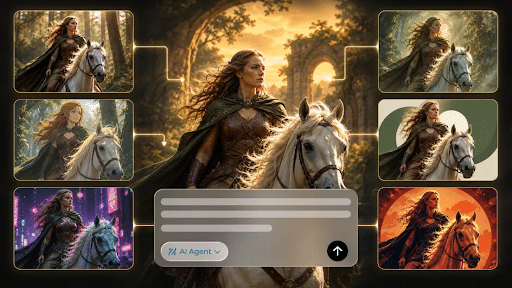
A familiar visual system makes it easier for readers to find related articles without having to make all the featured images the same. Set a restricted palette, lighting preferences, and an acceptable amount of background complexity. Treat recurring categories separately, for example, with illustrations for a how-to category and actual settings for lifestyle articles. Use the same prompt format with different topics and information. Reference images can be used to ensure consistency in graphics that are connected. Dreamina AI also aids in creative exploration, such as batch generation using its AI Agent, which can generate multiple visual directions from a single prompt. However, when choosing appropriate results, editorial judgment is still important. Export files grouped by article title, category, and publication date in order to facilitate future updates.
Optimize Featured Images for Clarity, Accessibility, and Publishing
Prior to publishing, ensure the chosen image is technically and editorially ready. Select the right graphic file type and compression to optimize the graphic’s appearance and page performance. Use ALT tags when the image contains information in addition to the adjacent text. Don’t put important article information solely within the graphic. Check desktop and mobile crops to ensure there are no visual distortions or text elements that weren’t intended. Ensure that uploaded references and generated works adhere to the relevant permissions, copyright laws, and Dreamina’s terms. Please check terms and third-party rights before publication for commercial use. Even a good-looking picture needs careful quality control.
Conclusion
For bloggers, Dreamina AI enables turning an article concept into distinct functional pictures, providing prompt-based generation, style exploration, and focused editing. These graphics can be more useful if they have clear subjects, thoughtful composition, consistent visual choices, and appropriate export settings. Match each image to its article and then check accessibility, cropping, and publishing requirements. A repeatable workflow and careful editorial judgment will help you to develop unique blog visuals and still maintain a consistent publication identity.