Choose the download that matches your device
Open the Mega888 on a phone and the first choice is a practical one. Which download fits your device? The Android card is marked APK, the iOS card covers both iPhone and iPad, and the Windows card offers a ZIP file for a PC. Use the arrows under the cards to move between them. If you only want to see which games the site lists, scroll down to All Games. The first 12 covers include 5 Dragons, Amazing Thailand and Big Chef. Select See more to bring the next group into view. The page also has separate entries for free spins, jackpots and angpao figures, so you can go straight to the subject you came for.
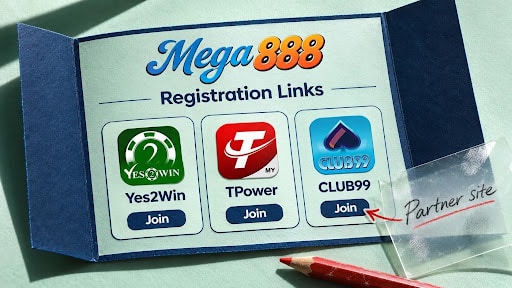
See where the Sign up link takes you
Choose Sign up in the navigation and the Mega888 registration page opens with three partner cards. Yes2Win mentions RM10 in free credit, TPower shows a range of RM8 to RM88, and CLUB99 points readers towards its events. Each card has its own Join button that opens a separate tab. The note above the list explains that registration takes place on third-party websites, where each partner sets its own requirements and terms. There is also a lucky wheel panel with a Play Now button. That panel belongs to Yes2Win. If you are looking for CLUB99, for example, its link is the Join button on the card marked Hot events.
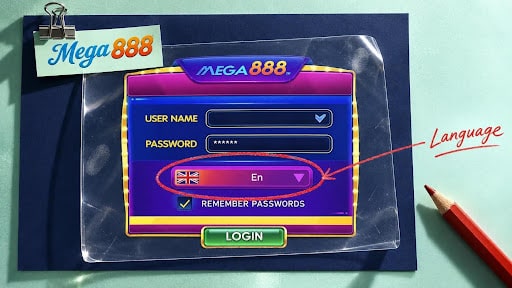
Try the language selector on the sample login screen
You can explore the Mega888 Login Panel guide before entering any account details. Tap the sample password field and it explains the row of asterisks that hides the characters. Just below is a language selector with three choices. En stands for English, 中文 for Simplified Chinese and ไทย for Thai. Try changing the language to see how the example responds. The choice applies only to the panel on this page. The guide also identifies the username field, the option to remember login details and the exit icon in the corner. If part of the wide illustration sits beyond the edge of your phone, swipe sideways to inspect it or select Fit to screen to see all the controls together.
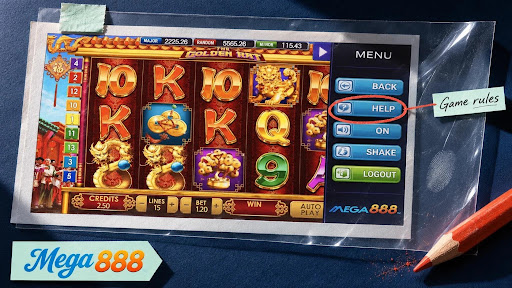
Find Help beside the Golden Rat reels
The red and gold reels in the Mega888 In-Game Menu guide belong to The Golden Rat. Look along the right-hand side for Help, just below Back. In the game, Help opens the rules and control instructions. Back returns to the previous screen, while Logout at the foot of the menu signs out of the account. That distinction matters if all you want to do is leave the current screen. In the guide, selecting a control brings up a short explanation. Try the two pairs of plus and minus buttons below the reels. Lines changes the number of lines, and Bet changes the amount staked. The figures belong to the example, so you can explore the controls without placing a bet.
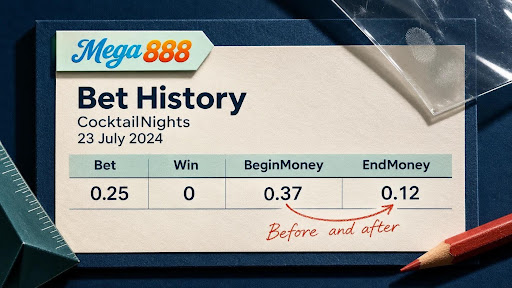
Read one row of the history table
A single row on the Mega888 Bet History page makes the balance columns easier to understand. The example contains five CocktailNights records from 23 July 2024, with the newest first. In the top row, the time is 01:14:25, the bet is 0.25 and the recorded win is zero. Read across that row and the balance moves from 0.37 under BeginMoney to 0.12 under EndMoney. The difference is exactly the stake shown for that round. Now look one row down. Its closing balance of 0.37 becomes the opening balance in the row above. That small detail shows how to follow consecutive rounds, even when the game name stays the same and the timestamps are only a second apart.